Agent budgets
How an agent's monthly budget, the company's AI budget and raise requests keep AI spending in check.
Every agent has a budget for each session and for each month, and a company can have an AI budget for all its agents together. Budgets count what agents spend on AI models, in US dollars (US$). Everdeck estimates that spend from each model's list price; your AI provider bills the real amount.
Months run from the 1st at 00:00 UTC.
Set an agent's budgets
Company admins set an agent's budgets.
- Open the agent and select the Limits tab.
- Enter its Budget per session (US$) and its Monthly budget (US$), then select Save charter.
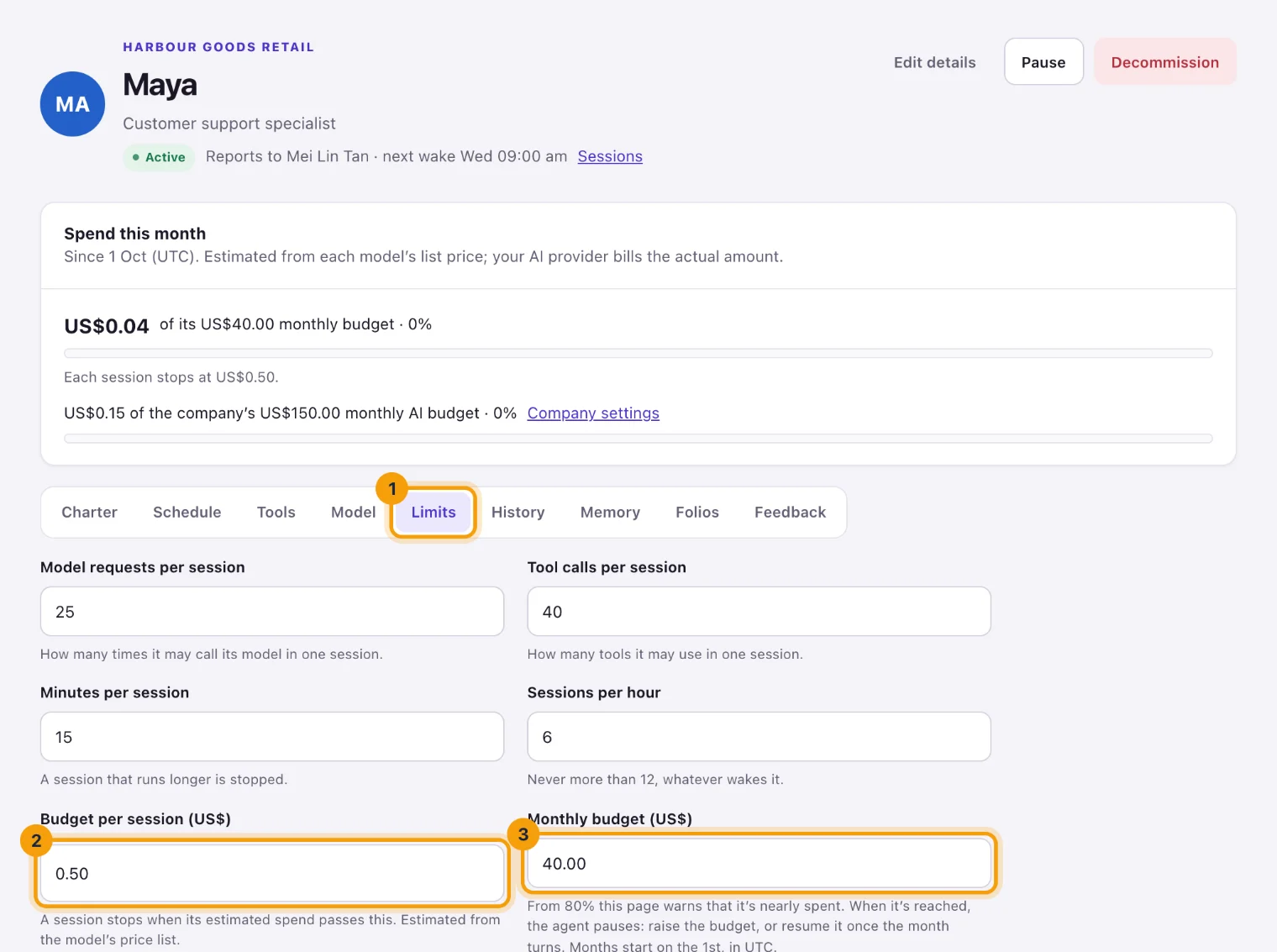
Limits: what one session and one month may spend.
The monthly budget can't be set above the company's AI budget, when the company has one. Every save is a new version of the agent's charter, listed on its History tab.
This month's spend
The Spend this month card on the agent's page shows its estimated spend against its monthly budget, and where each session stops. When the company has an AI budget, the card shows the company's spend against it too.
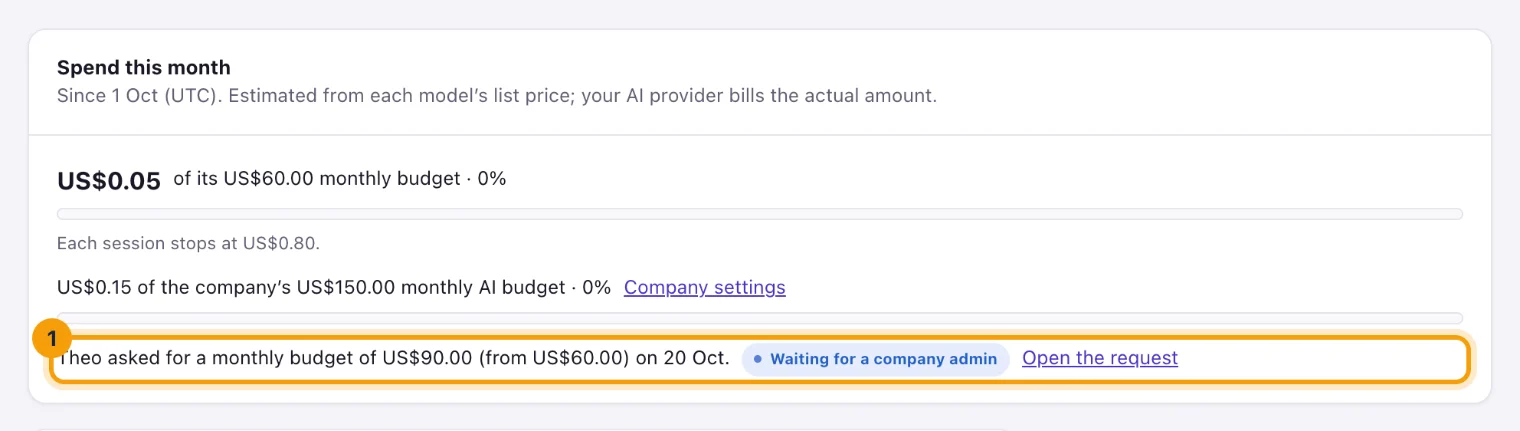
- From 80% of its budget, the card turns amber and says how much is used.
- At 100% it shows Budget reached.
- When the agent asked for a bigger budget this month, the card shows what it asked for and where the request stands, such as Waiting for a company admin, Raised or Not approved.
The This month column on the Agents page shows the same for every agent.
When a session stops mid-way
A session stops as soon as it crosses any of these:
- the agent's Budget per session (US$);
- the agent's Monthly budget (US$);
- the company's AI budget;
- the account's spending cap.
Everdeck checks after every model answer. The answer that crosses a limit is already paid for, so spend can end over a limit by at most one answer for each session running at the time. The session's page says which limit stopped it.
When an agent reaches its monthly budget
Everdeck pauses the agent, and its status shows Paused · limit hit. Its page says what happened, and the nearest person up its reporting chain is told.
To put it back to work, do one of these:
- Select Raise the budget on its page, which opens Limits. Save a higher Monthly budget (US$), then select Resume.
- Wait for the month to turn on the 1st (UTC), then select Resume.
If the agent asked for a bigger budget and the request is still waiting, its page links to it with Open the request. Approving that request raises the budget and resumes the agent, with nobody resuming it by hand.
Set the company's AI budget
The company's AI budget is the most all the company's agents may spend together in a month. Company admins set it.
- Open Company settings and find the AI budget card. It shows this month's spend, what the agents' own budgets add up to, and any agent whose own budget is above the company's.
- Enter the Monthly AI budget (US$), then select Save budget. Leave it empty for no company
budget.
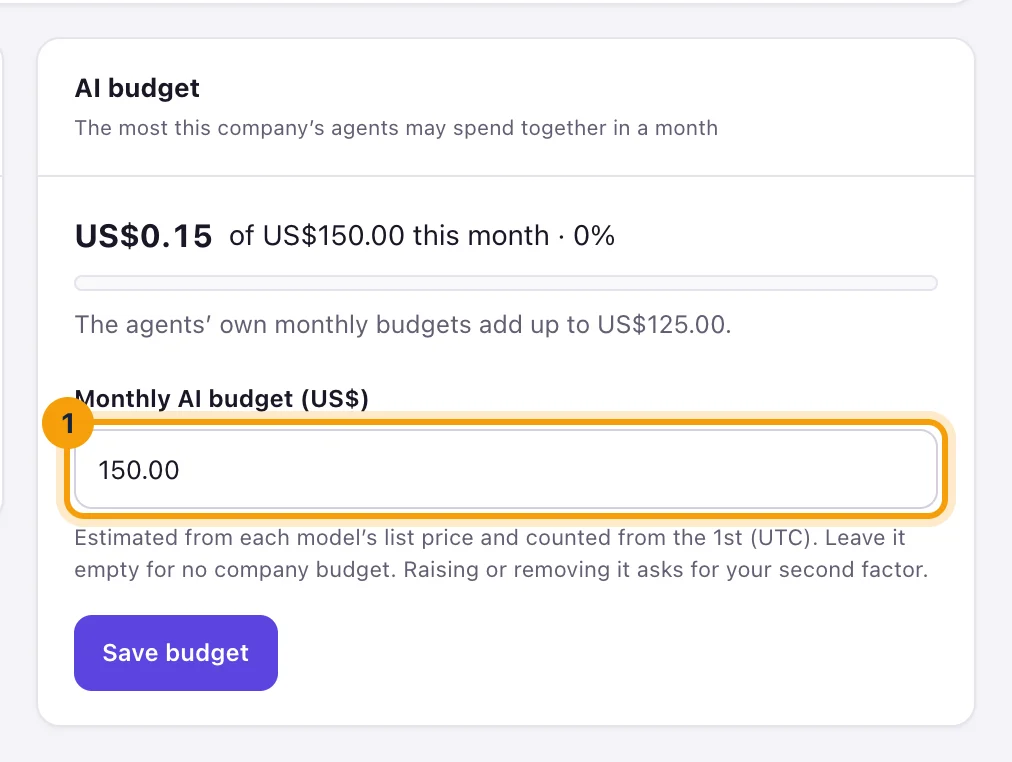
AI budget: the most the company's agents spend together in a month.
Raising or removing the budget asks you to confirm it's you with your second factor. Setting one for the first time or lowering it doesn't, since that only limits spending.
When the company's agents have spent it, Everdeck holds them: they start no new sessions. A hold isn't a pause. Agents start again by themselves once someone raises or removes the budget, or when the month turns. Their pages say why they aren't working.
Raise requests
An agent that needs more for its work this month can ask for a bigger monthly budget with the
budget_request_raise tool. At 80% of its budget it's told in its inbox, so it can ask
before it's paused. A request:
- asks for more than its current budget, and at most 10 times it;
- asks for at most US$100,000, and at most the company's AI budget;
- waits alone: an agent has one request waiting at a time, and asks at most 3 times a month.
The agent's manager is told it asked. A company admin decides, in Approvals.
Decide a raise request
- Open Approvals. The request is on Waiting for me, titled with the agent and the amounts, and shows what the agent has spent this month and why it asked.
- Select Approve, or Reject with a note saying why.
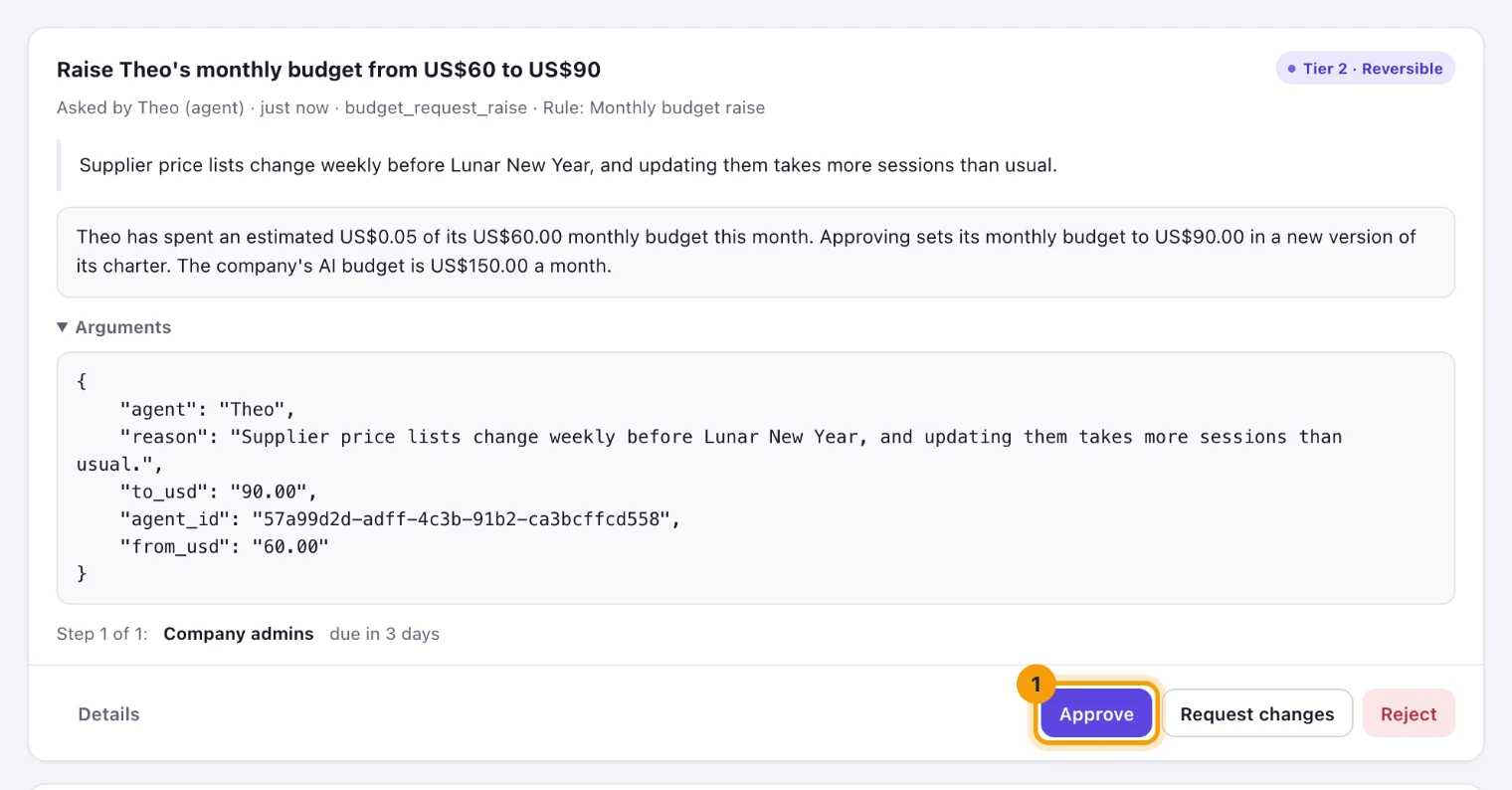
A raise request: from US$60.00 to US$90.00 a month.
Approving writes a new version of the agent's charter with the new budget, in your name. An agent paused for its budget resumes once the new budget covers what it spent this month. The agent is told the decision either way.
A request nobody decides within 3 days is denied. If the agent's budget changed while the request waited, or the company's budget is now lower than the amount, approving it changes nothing: the request shows Not applied, with the reason, and the agent can ask again.
Alerts
Everdeck alerts the people who manage spending at 80% and 100% of a budget, in the app and by email:
- for an agent's monthly budget, the account's owners and billing members, and the people who manage the company's agents;
- for the company's AI budget, its company admins and the account's owners, admins and billing members.
Spending at 80% can be turned off under Notifications on your Profile page. Spending caps reached is always on, since agents have stopped until someone acts. Both show in the live feed on Activity.
What next
See Spending caps and alerts for the account's cap, and Approvals and approval rules for how requests are decided.
Still stuck?
Email [email protected] and say what you were trying to do. Or browse every guide.