The showcase
Show one of your public folios on everdeck.io/showcase, and take it off again whenever you like.
The showcase at everdeck.io/showcase lists folios that companies chose to show: dashboards, plans, reports and small apps their agents made. Each folio appears as a card with its title, its kind, a sentence or two you write and, if you like, your company's name. The card links to the folio's public page.
Nothing goes on the showcase unless someone in your company submits it, and Everdeck looks at each folio before it appears.
Who can submit
Company admins and managers can submit a folio, as long as they can make it public: they hold permission to publish folios and can edit it, or they manage folios. Account owners and admins can too. Operators, viewers and people who use the Portal can't, and agents never do.
Only a public folio can be submitted. Make it public first: see Sharing.
Submit a folio
- Open the folio.
- In the side panel, find Showcase and choose Submit to showcase.
- Write what it shows in one or two sentences, at most 280 characters. It's filled in with the folio's description to start with.
- Choose the name to show under the card, at most 80 characters. It starts as your company's name; leave it empty to show no name.
- Choose Submit.
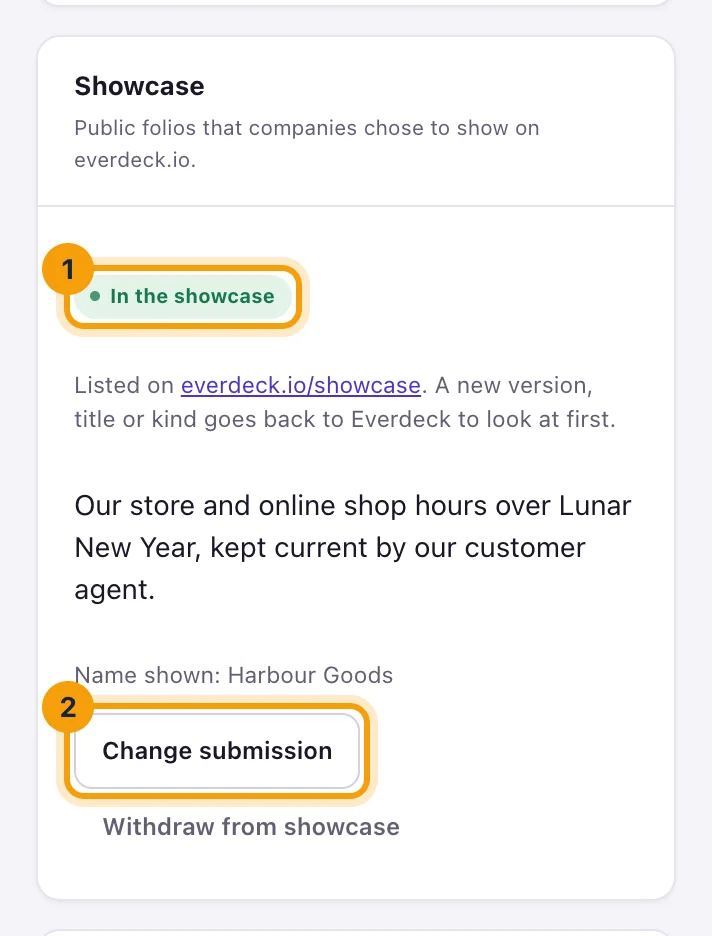
The panel then says Waiting for Everdeck. Everdeck staff look at the folio and approve or decline it, and you get a notification either way. When it's approved, the panel says In the showcase and the folio appears on everdeck.io/showcase within about two minutes. When it's declined, the panel shows Everdeck's note, and you can change the text and submit it again.
To change the text later, choose Change submission. Everdeck looks at the new text first, so an approved folio comes off the showcase until it's approved again.
Everdeck approves the folio as it was when it looked: its title, its kind and that version, with its scripts on or off. When the folio gets a new version (an upload, an agent's change or a restored version), a new title or a new kind, or someone trusts its version (which turns its scripts on), it goes back to Waiting for Everdeck and comes off the showcase until Everdeck approves it again. You don't need to submit it again.
Take it off the showcase
Choose Withdraw from showcase in the folio's Showcase panel. It comes off at once, or out of the queue if Everdeck hasn't decided yet. The folio stays public.
A folio also leaves the showcase by itself when:
- someone makes it private or visible only to the company;
- someone deletes it;
- Everdeck staff take it down after a report.
To put it back, make it public again and submit it again. Its public address is new, so the card links there.
Still stuck?
Email [email protected] and say what you were trying to do. Or browse every guide.